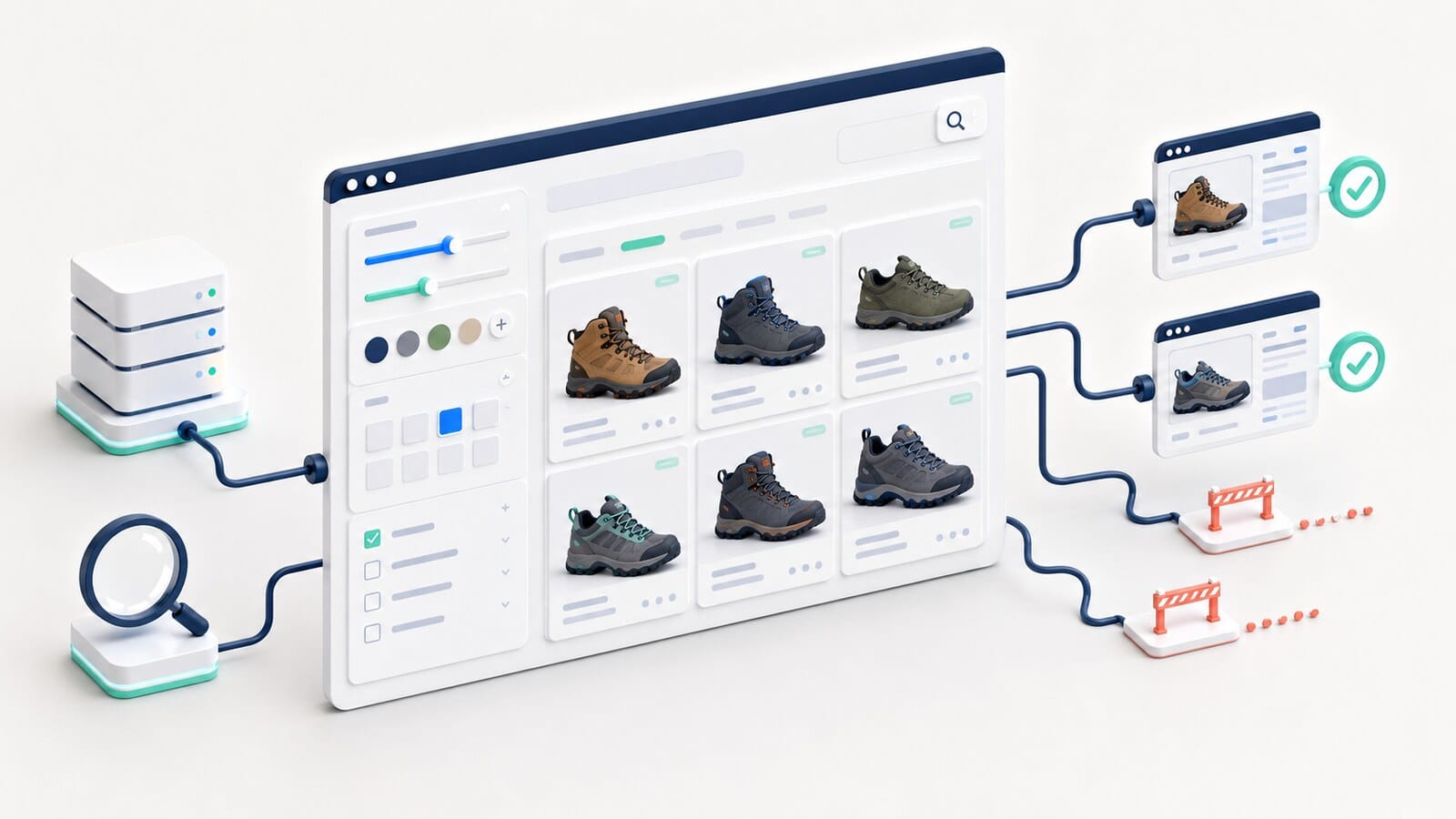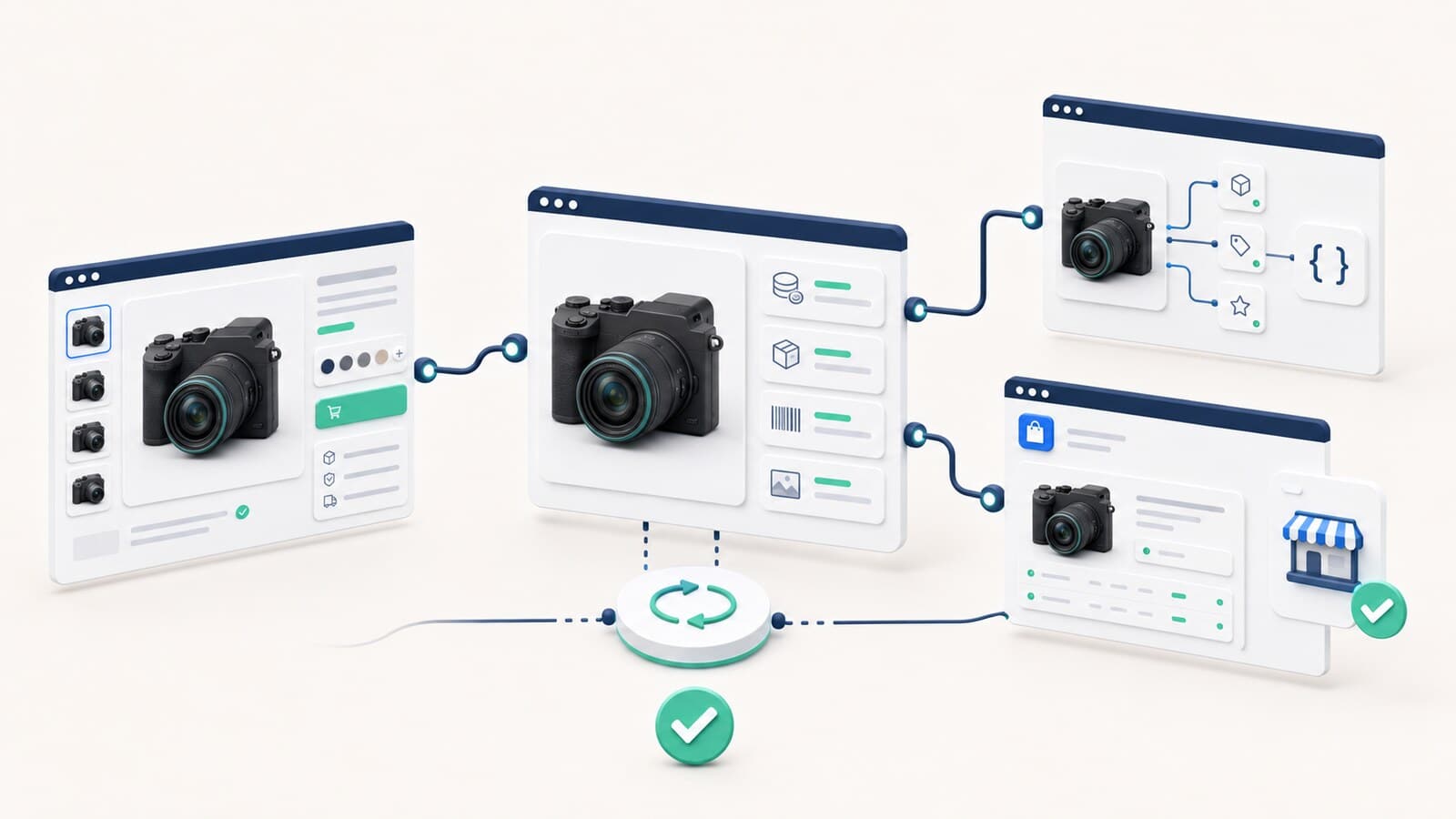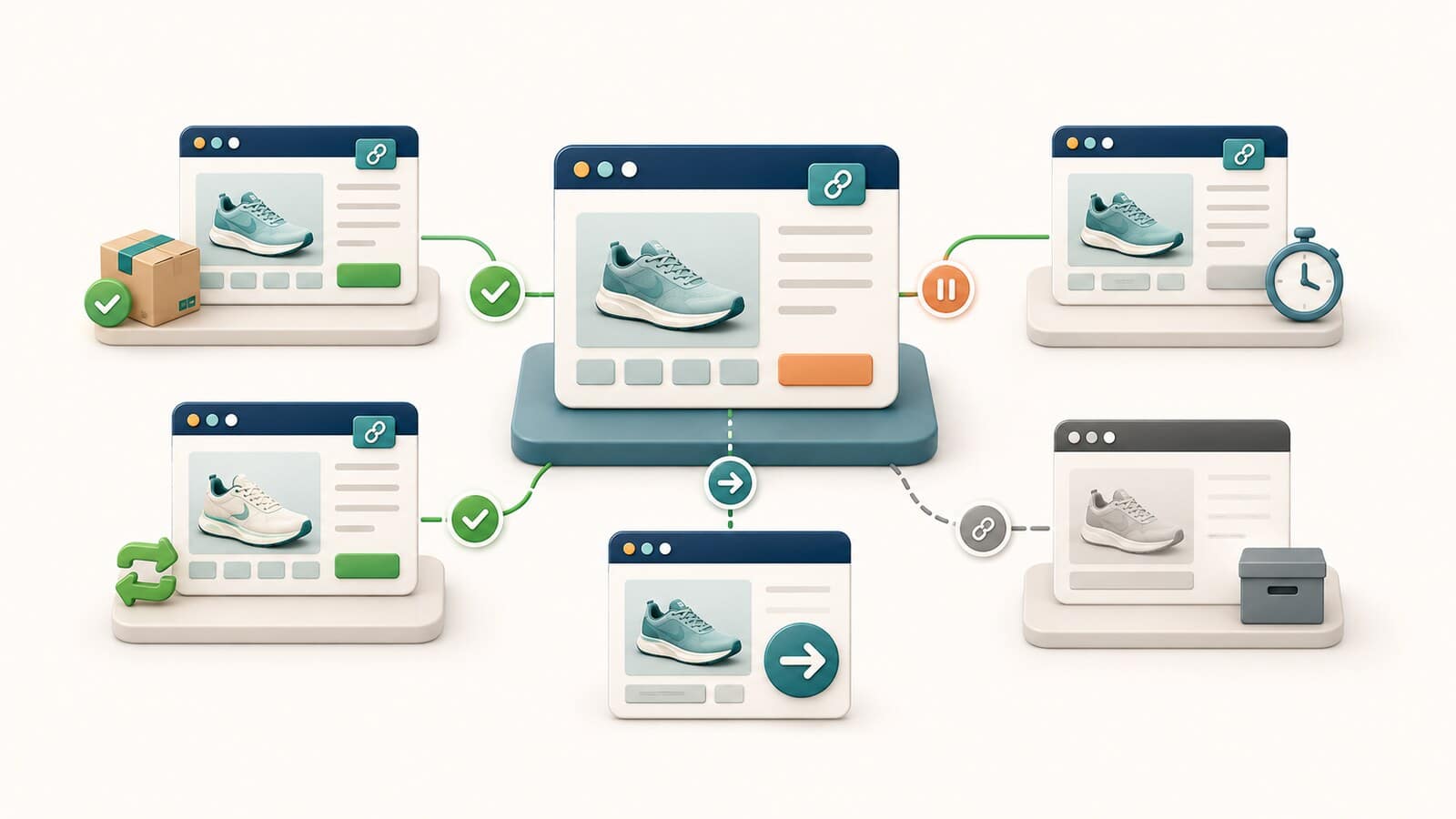
Starting an online store begins long before you select a platform, theme, or development company. The business first needs to define its products, customers, catalog data, payments, fulfillment, returns, connected systems, and method for measuring sales.
When these decisions are clear, the project is easier to scope, price, build, test, and maintain. When they are postponed, the usual results are missing product fields, unsuitable integrations, confusing navigation, unexpected operating costs, and expensive changes shortly before launch.
This guide covers the preparation a business should complete before design and development. It does not compare ecommerce platforms, development packages, or vendors, and it does not replace a technical specification, legal review, tax advice, or a detailed ecommerce SEO architecture. Once your requirements are clear, use the guide to choosing an ecommerce platform to assess the available options.
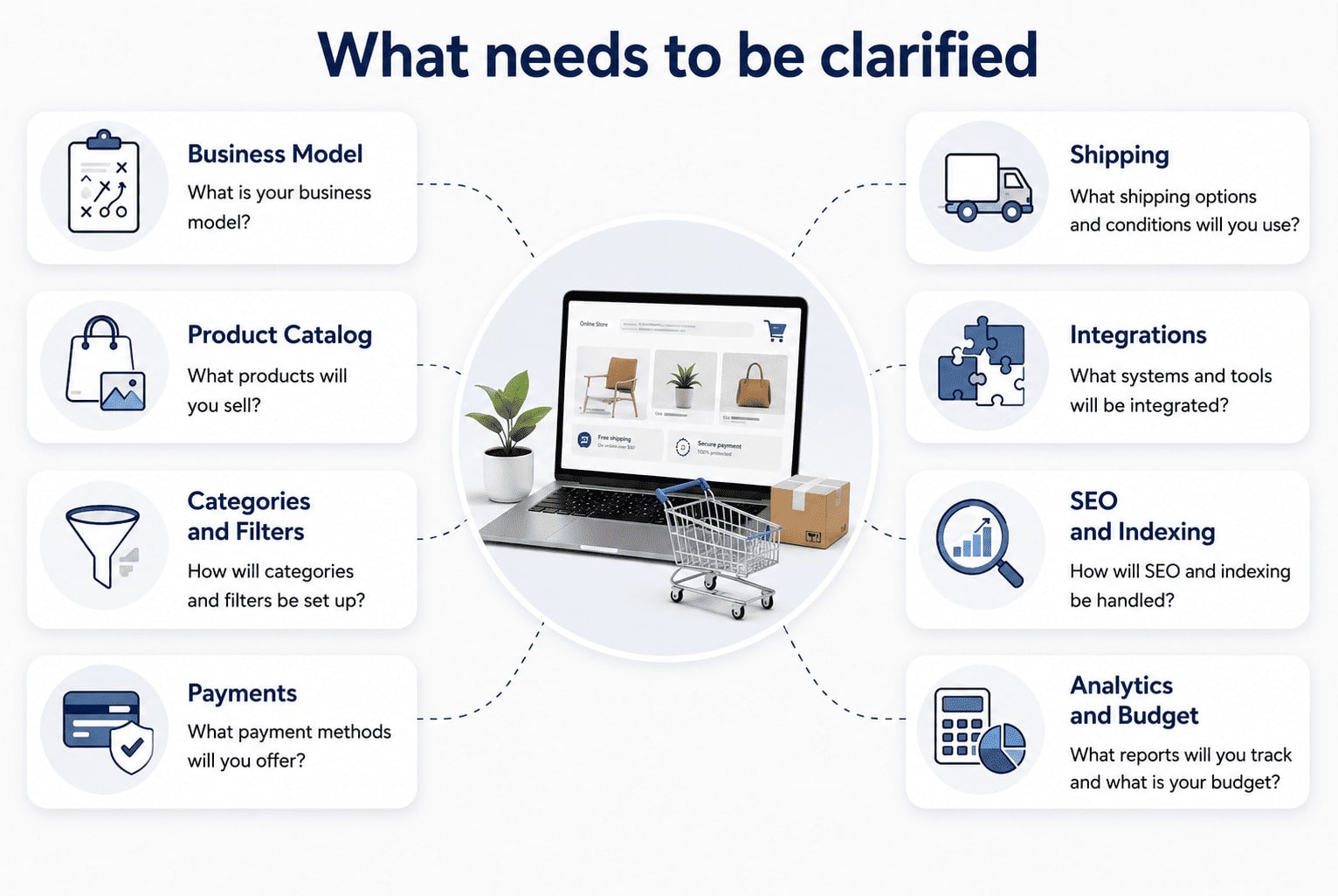
At minimum, prepare:
Every detail does not need to be final before the first meeting. The unknowns do need to be visible. A documented open question can be investigated and priced. A hidden assumption usually appears later as a delay or change request.
An online store is a sales and operations system. It cannot repair an offer with weak demand, unclear pricing, impractical fulfillment, or insufficient margin.
Before development, answer:
A low-priced product with high shipping and handling costs may require bundles, a minimum order value, or a different pricing model. A customized product needs a different product page, approval process, production timeline, and return policy than a ready-to-ship item.
These are not only marketing decisions. They affect catalog fields, checkout behavior, inventory logic, customer communication, integrations, and reporting.
Create a basic model that includes:
This model does not need to predict the future perfectly. Its purpose is to reveal which operational rules the store must support. For example, free shipping, installment payments, or free returns may improve conversion while making some orders unprofitable.
Decide where the business will sell at launch and what may be added later.
A US-only store can still face meaningful differences among states, delivery zones, product restrictions, sales tax obligations, and customer expectations. A store selling internationally adds currencies, languages, customs, duties, cross-border shipping, local payment preferences, privacy requirements, and different return costs. For projects that need GDPR planning, the guide to GDPR for websites and online stores identifies the website features and data flows to review.
Document:
Do not activate several countries simply because the platform makes it possible. Each market needs accurate product information, delivery promises, policies, taxes, customer support, and ongoing maintenance.
Customer types also affect the project.
A direct-to-consumer buyer may expect a fast checkout, clear delivery information, and easy returns. A B2B buyer may need:
If both B2C and B2B customers will use the same store, describe where their pricing, account, tax, payment, and checkout workflows differ.
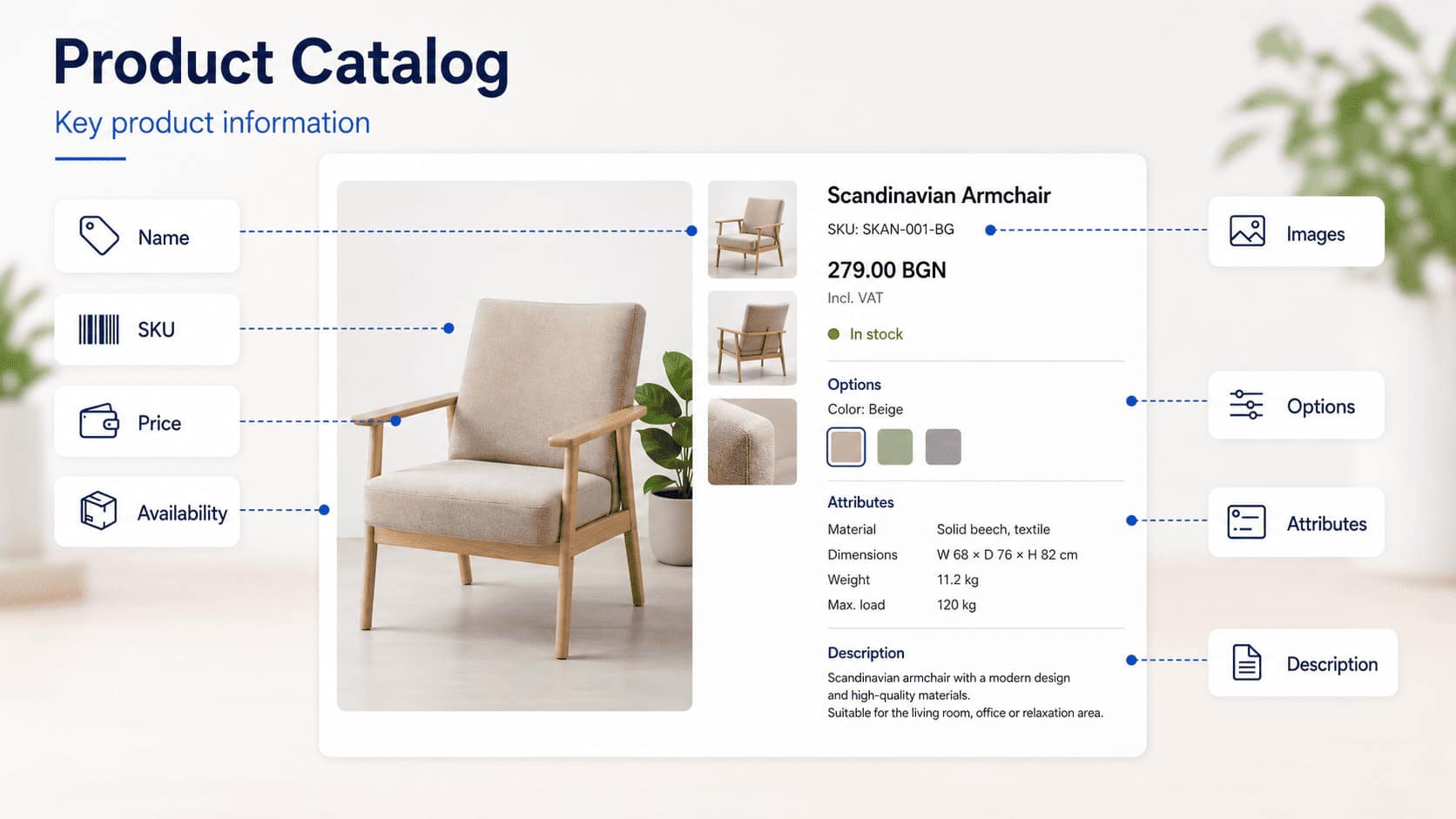
The product catalog is often the largest hidden dependency in an ecommerce project.
A list of product names and prices is not enough. Each product needs information that supports the shopper, the store administrator, search engines, advertising platforms, payment and shipping rules, and inventory systems.
Most catalogs need fields such as:
| Data | Example |
|---|---|
| Product name | Women's Alpine Jacket |
| SKU or item number | JK-ALP-001 |
| Price | $149.00 |
| Inventory status | In stock |
| Short summary | Primary use and key benefits |
| Full description | Materials, fit, use, and care |
| Category assignment | Women's Clothing > Jackets |
| Brand | Manufacturer or private-label brand |
| Images | Primary image and additional views |
| Weight and dimensions | Data required for packaging and shipping |
| Warranty | Coverage when applicable |
| Supporting documents | Instructions, certificates, or technical sheets |
Depending on the product, the catalog may also need:
The business should identify which fields are mandatory, which are optional, which use controlled values, and which system owns each value.
If an item comes in several sizes, colors, packages, or configurations, define:
Poorly defined variants create inaccurate inventory, confusing selection, broken imports, and mismatches among the store, advertising feeds, and external systems.
Google supports product variant structured data, which can help it understand that several purchasable options belong to one parent product. The data model still needs to be correct before markup can represent it.
Do not build the store entirely with placeholder products and wait until the final week to provide the real catalog.
Prepare a representative sample that includes:
Real examples reveal missing fields, inconsistent values, image problems, and integration requirements before the templates and import process are finalized.
This article defines what the business must prepare. Detailed category architecture, filter indexation, and product lifecycle rules should be handled in the ecommerce SEO specification, not in this pre-development checklist.
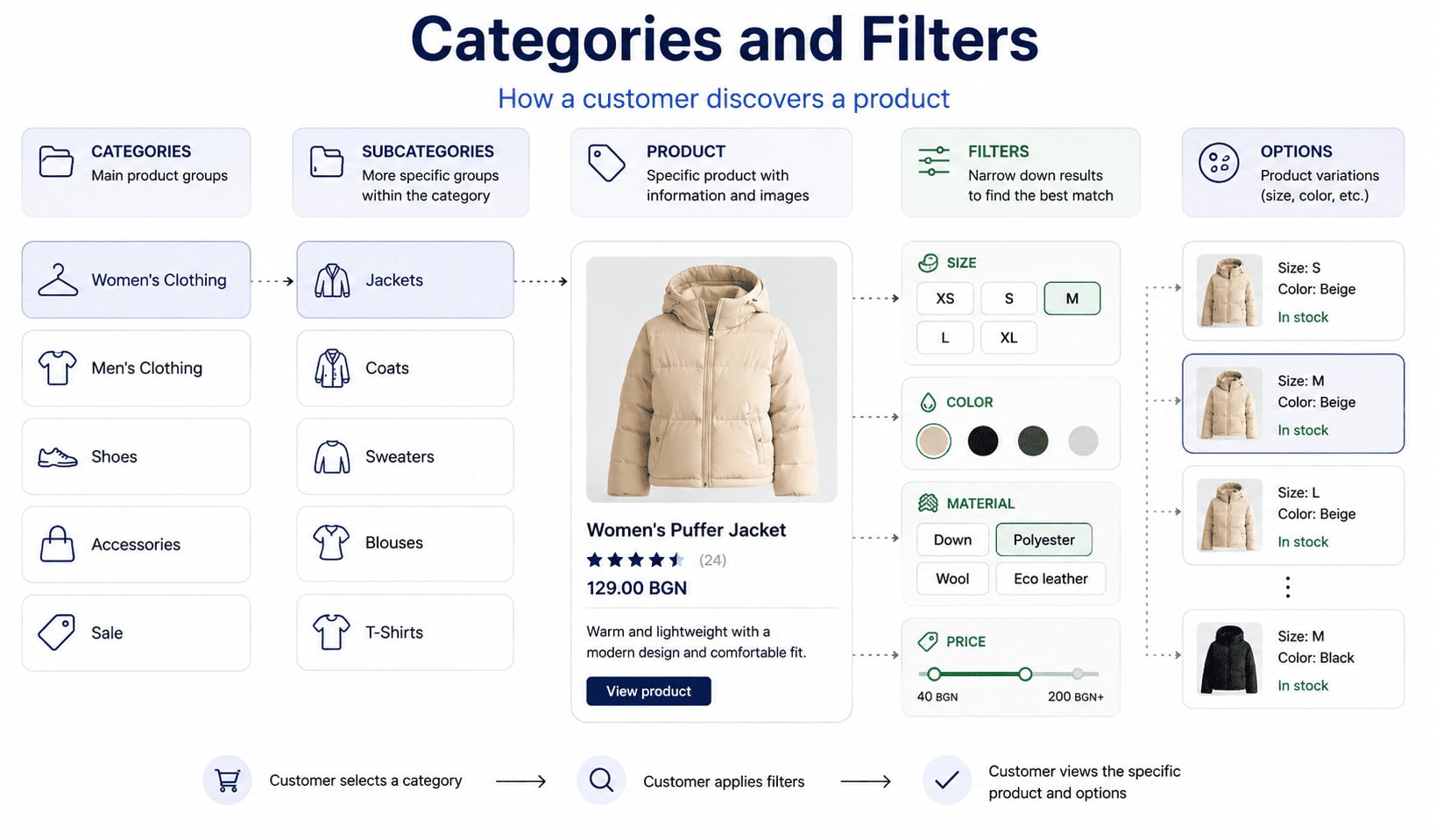
Categories should reflect how customers find and compare products, not only how the company organizes inventory internally.
A furniture store, for example, might classify products by product type, room, material, style, or use. Not every classification needs to become a primary category. Some may work better as filters, collections, product attributes, or supporting content.
For every important attribute, decide whether it is:
Useful filters represent real buying decisions and rely on consistent product data. Apparel shoppers may need size, color, material, and season. Laptop shoppers may compare processor, memory, display size, and intended use. Auto-parts shoppers may require make, model, year, engine, and fitment.
Do not request dozens of filters simply because many attributes exist. Every filter adds data requirements, interface complexity, testing, and potential URL behavior.
The project brief should identify the important categories and shopper decisions. The implementation team can then define detailed navigation, filter behavior, and indexation rules while this guide remains focused on business readiness.
Google recommends a crawlable link path from navigation to categories and from categories to products. Products should not be discoverable only through an internal search box. Its ecommerce SEO guidance explains the main technical areas that should be addressed during development.
Choose payment methods according to customer preferences, average order value, product risk, recurring billing needs, and the markets served.
Possible methods include:
For every method, confirm:
The checkout must not mark a failed payment as a completed order. The order-management process also needs clear statuses for authorization, capture, settlement, refund, cancellation, and dispute.
Use a reputable payment provider and minimize direct handling of cardholder data. The PCI Security Standards Council document library provides the current PCI DSS standard and related guidance. The business and its payment partners should confirm the applicable compliance scope instead of assuming that installing a checkout extension resolves every responsibility.
Shipping is not only a rate displayed during checkout. It begins with inventory and packaging and continues through carrier handoff, tracking, delivery, exceptions, and returns.
Before development, define:
The store should never promise a shipping or delivery time that the operating process cannot support.
The FTC Mail, Internet, or Telephone Order Merchandise Rule requires sellers covered by the rule to have a reasonable basis for shipment claims. When no shipping time is stated, the rule generally uses 30 days. If the seller cannot ship on time, it must follow the applicable delay, cancellation, consent, and refund requirements.
The practical planning lesson is straightforward: inventory accuracy, fulfillment capacity, customer notices, cancellation controls, and refunds must work together. These obligations cannot be handled by a shipping-rate plugin alone.
The return workflow should be designed before checkout and account features are finalized.
It may require:
US return requirements can vary by state, product category, business representation, and transaction type. Do not copy an EU 14-day withdrawal policy into a US store. Have a qualified attorney review the actual return, refund, warranty, subscription, shipping, privacy, and consumer-protection obligations that apply to the business.
Operationally, the store should state clearly:
A policy is only useful when the warehouse, support team, payment system, and accounting process can follow it consistently.
The quality of a product page depends on the material the business supplies.
Define consistent rules for:
Images should represent the actual product accurately. Excessive retouching can create expectations that the physical item does not meet and may increase returns.
If products are supplied by manufacturers, confirm whether the business has permission to use and modify the provided media. Also decide how new images will be created when the assortment changes.
A useful description helps the shopper understand:
Do not fill descriptions with repeated keywords. Manufacturer copy used by many retailers rarely creates a distinctive resource. Priority categories and products benefit from original, verified information based on actual product knowledge.
Every objective product claim should be supportable. Health, environmental, performance, warranty, discount, and comparative claims may require additional legal and factual review.
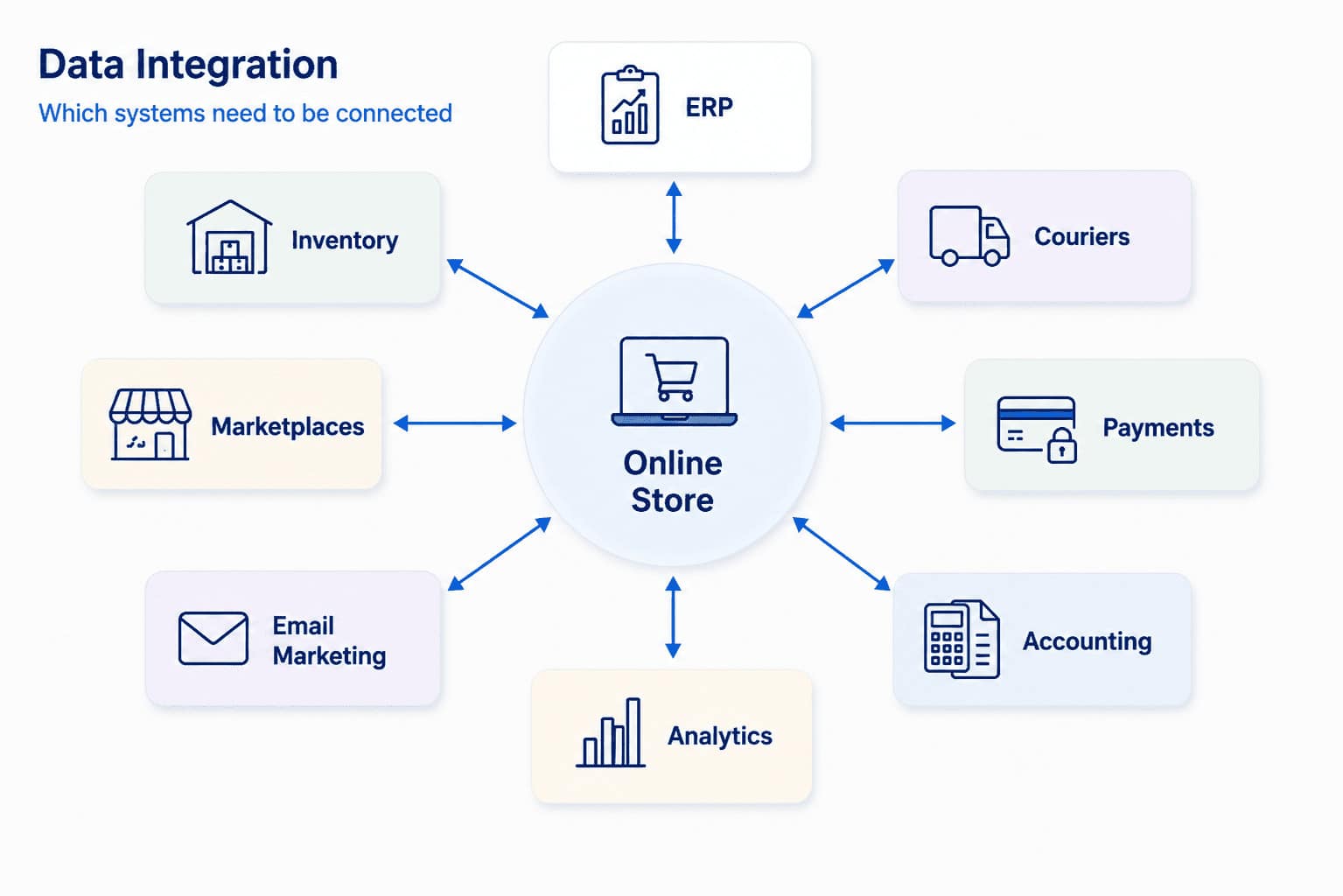
List the systems the business already uses and the data that must move between them and the future store.
The store may connect with:
For every integration, document:
| Requirement | Question to Answer |
|---|---|
| System of record | Which system owns the authoritative value? |
| Direction | Does data enter the store, leave it, or move both ways? |
| Frequency | Is the update immediate, scheduled, or manual? |
| Identifier | Which stable ID connects the same record across systems? |
| Error behavior | What happens when validation or transfer fails? |
| Retry behavior | Will the system retry automatically, alert a person, or both? |
| Ownership | Who monitors and resolves failures? |
| Limits | Are there API, licensing, volume, or vendor restrictions? |
Do not assume two systems can exchange the required data simply because both advertise an API. Review the documentation, available fields, rate limits, authentication, vendor access, costs, and failure modes.
Define one authoritative source for prices, inventory, product names, customers, discounts, and order status. Otherwise, two systems may overwrite one another or show conflicting values.
Some SEO decisions must be coordinated with catalog and technical planning. The business does not need to design every rule, but it must supply accurate information about product groups, variants, markets, inventory behavior, and changes to the assortment.
The project must account for:
The detailed implementation should be defined in the ecommerce SEO specification. At the readiness stage, the goal is to identify dependencies before templates, imports, and integrations make them expensive to change.
The store's long-term SEO strategy should be coordinated with development instead of added after every structural decision is complete.
Google recommends product structured data, Merchant Center feeds, or both, depending on the business and eligibility. Its product structured data documentation covers product information, variants, and merchant policies that Google can understand.
Visible product information, structured data, and feed data should agree. Price, currency, availability, shipping, and return information should not contradict one another across those sources.
Markup cannot correct an unreliable catalog. It only represents the data the store already manages.
There is no special ecommerce switch or markup that guarantees visibility in AI Overviews, AI Mode, ChatGPT, or another generative system.
Google's AI features guidance says its established SEO fundamentals still apply and that no additional technical requirements or special AI schema are needed for AI Overviews or AI Mode.
For an online store, this means product pages, categories, policies, comparison information, and supporting content should provide clear, consistent, verifiable facts outside promotional claims.
Analytics requirements should be written before launch. Counting visits is not enough.
Common ecommerce events include:
The business should also measure:
Document:
The business should control its primary accounts. Critical analytics, Merchant Center, advertising, Search Console, and payment access should not exist only inside an outside vendor's account.
The store must remain usable as the catalog, traffic, media, and number of integrations grow.
Plan for:
Google's current Core Web Vitals guidance identifies LCP, INP, and CLS as measures of loading performance, responsiveness, and visual stability. It recommends LCP within 2.5 seconds, INP below 200 milliseconds, and CLS below 0.1 for a good experience.
A fast page is not enough by itself. It cannot compensate for unclear navigation, inaccurate inventory, missing product information, or a difficult checkout.
Plan:
Do not store sensitive payment data unless the business has a verified need and the required controls. Use an appropriate payment provider and confirm the PCI DSS responsibilities shared among the business, platform, checkout implementation, and provider.
Security is an operational program, not a feature completed on launch day.
Accessibility must be part of design, content, and development from the beginning.
The US Department of Justice states in its web accessibility guidance that businesses open to the public must ensure that the goods and services they provide online are accessible to people with disabilities under the ADA's applicable requirements.
Plan and test:
Automated testing can identify some issues. It does not replace manual keyboard testing, screen-reader testing, and review by people who understand the full shopping flow.
An existing store already has products, categories, customers, orders, URLs, internal links, backlinks, analytics, and operational history. A migration must identify what needs to be retained before the replacement structure is approved.
Collect:
An SEO audit before an ecommerce migration helps identify the pages that hold traffic, visibility, and external authority.
Create a one-to-one mapping from each valuable old URL to its equivalent new destination. Do not delete pages or redirect all discontinued URLs to the homepage. Also plan how customer passwords, order records, privacy preferences, subscriptions, gift balances, and stored payment references will be handled.
Run reconciliation checks after each test migration. A successful import is not demonstrated only by the number of records. Prices, inventory, variants, taxes, orders, customer access, and relationships among records must also be correct.
The business does not need to write the final technical specification alone. It should provide a working brief that explains how the store must operate.
| Area | What to Document |
|---|---|
| Business model | B2C, B2B, subscription, marketplace, or mixed |
| Markets | Countries, states, languages, and currencies |
| Catalog | Number of products, variants, categories, and key data fields |
| Customers | Account types, roles, and approval requirements |
| Pricing | Sales tax, discounts, contract pricing, and minimum orders |
| Payments | Methods, providers, refunds, subscriptions, and disputes |
| Fulfillment | Locations, carriers, rates, packaging, and exceptions |
| Returns | Eligibility, steps, labels, inspection, and refunds |
| Integrations | Inventory, accounting, ERP, CRM, marketplaces, and feeds |
| Content | Descriptions, claims, images, documents, and languages |
| SEO | URL requirements, categories, filters, feeds, and migration |
| Analytics | Events, revenue, refunds, attribution, and account ownership |
| Administration | Roles, permissions, approvals, and daily tasks |
| Maintenance | Updates, backups, monitoring, support, and incident response |
Add real examples:
Concrete examples expose requirements that a general request such as "connect the warehouse" or "support B2B" may conceal.
Before the project starts, name who will:
Unclear ownership is one of the most common reasons ecommerce projects stall. The developer cannot invent internal business rules. The business owner should not assume every technical and operational dependency will resolve itself.
Use one accountable owner for each decision, even when several people contribute. Also define who can approve a change when the primary owner is unavailable.
The budget should not cover only the initial build.
Plan for:
Nearly every store changes after launch. Real shoppers expose confusing wording, missing information, support questions, and operational exceptions that planning alone cannot reveal.
Reserve budget and decision-making capacity for the first months of improvement. A project that consumes the entire budget before launch leaves no room to respond to evidence.
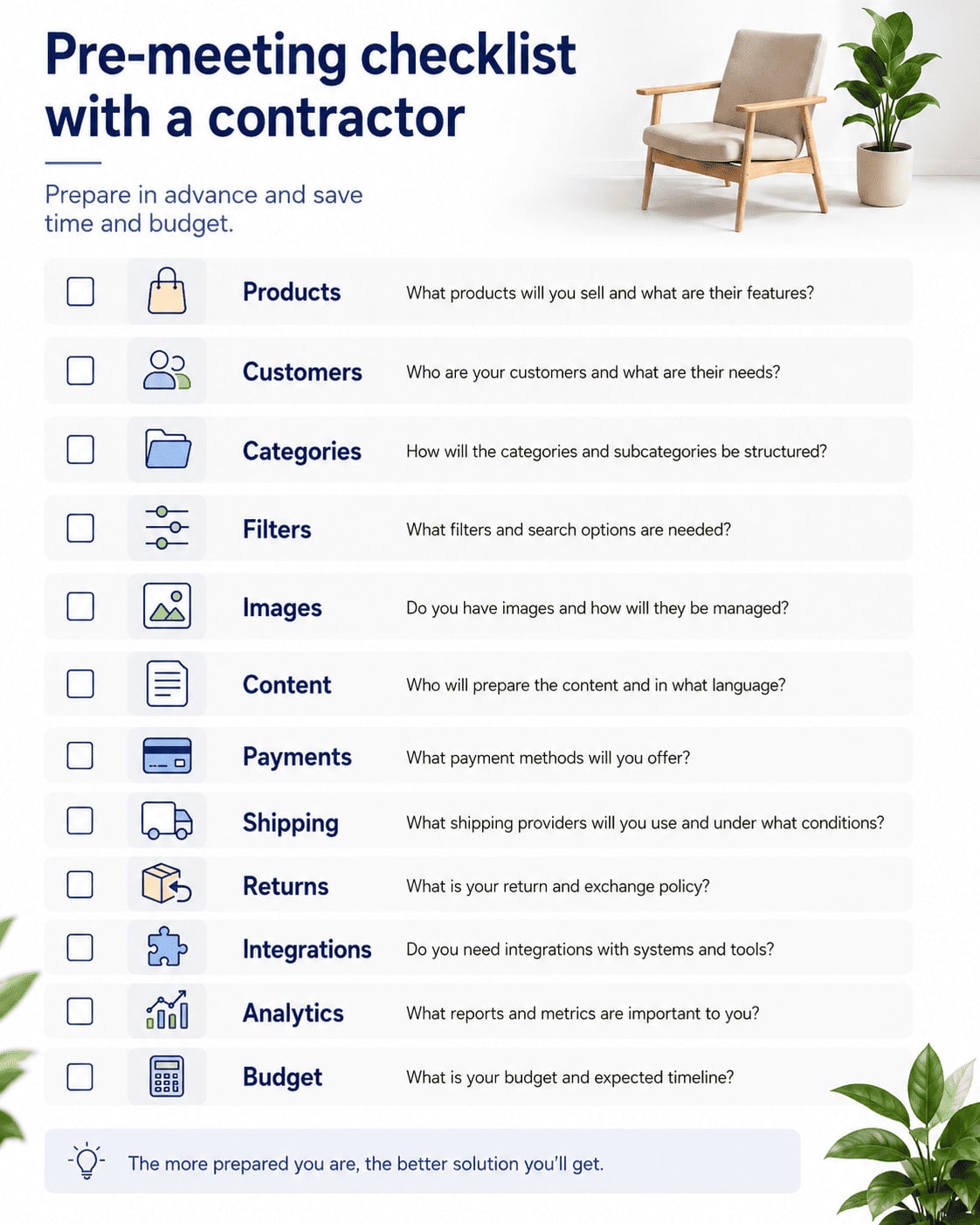
Before the first meeting with a developer, confirm:
Missing answers are not automatically a blocker. They must be listed, assigned, and resolved at the right point instead of appearing during final testing.
The preparation is strong enough when the team can explain:
The business does not need to know how every feature will be programmed. That is the implementation team's responsibility. The business must describe the real process, constraints, risks, and expected outcomes.
Once those decisions are documented, the team can move into professional ecommerce website development with a more accurate scope, realistic budget, and lower risk of last-minute changes.
A well-prepared online store does not begin with the homepage. It begins with reliable product data, workable fulfillment, clear policies, measurable goals, and people who know what they own.